Giclée Print – definition: the highest quality, archival, most colour-faithful print using the highest quality printer using pigment inks on archival, unbleached, uncoloured media – like cotton (“rag”) canvas and paper.
There is no right or wrong when it comes to printing, and the same image can be printed in a wide variety of styles. As long as you have a digital image viewed on a professional hardware-calibrated colour monitor – then a professional printer should be able to print that completely faithfully – within the colour and dynamic range limits of the print media used. If you don’t have a professional hardware-calibrated colour monitor, then what see and what the commercial printer sees will likely be different because of the potentially vast differences between monitors. This is where guess-work comes in by the commercial printer, and can result in your prints not coming out as expected.
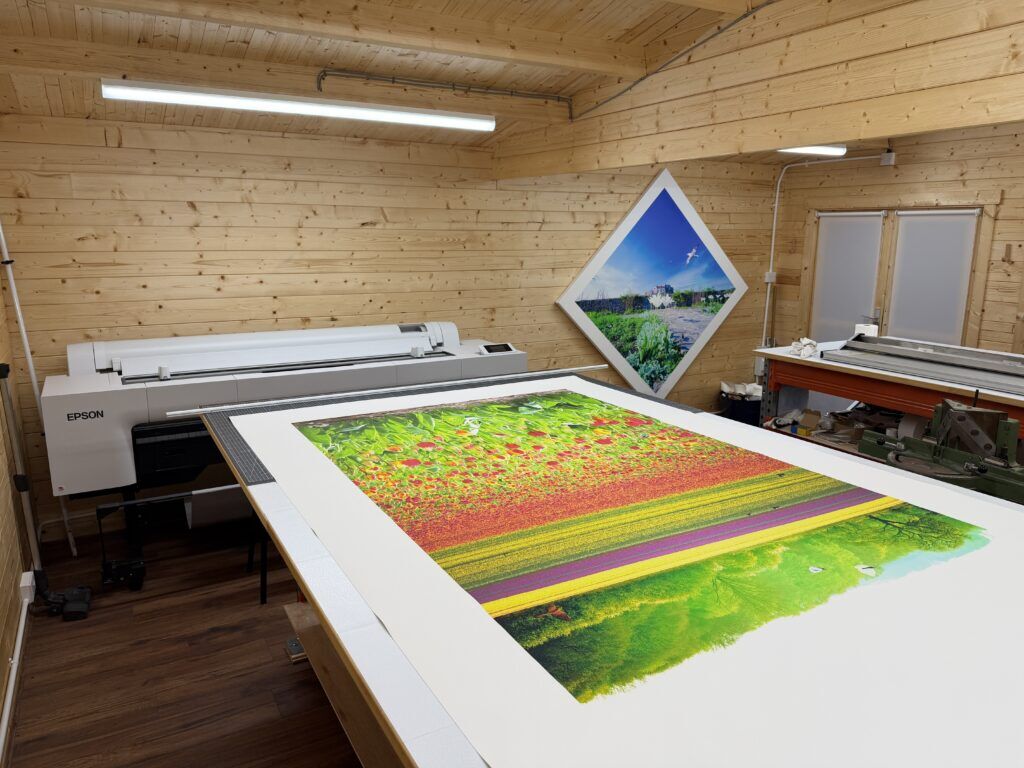
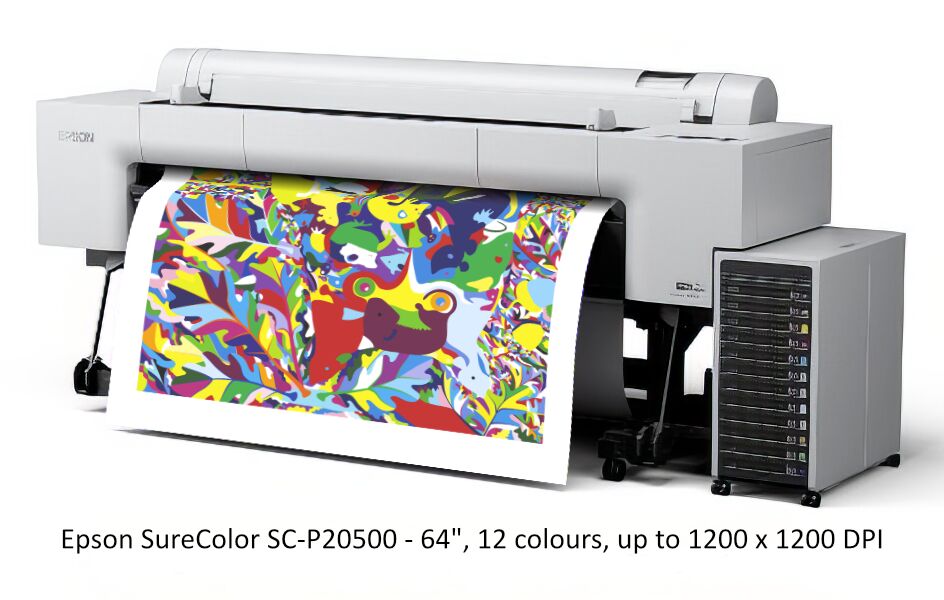
As a long-time artist, photographer, and computer consultant – I have always wanted to print my own digital (or digitally photographed) artwork and photography – to have full control of the end-to-end creative process. I’ve had many printers over the years but in aiming for the best possible quality and largest print size, I took the plunge in 2025 to invest in what I (and most people in the know) consider the best currently available large format giclée printer (my journey is available here: My new big printer requires a new shed! and My new 64″ giclée printer delivered and installed). This printer is absolutely superb, and I can’t fault it (except for the cost – especially the cost of the inks!). It’s 12 UltraChrome Pro inks are rated at 200+ year longevity – without yellowing or deteriorating (independently accelerated-tested), and its colour reproduction and dynamic range is widely considered as the best currently available. I am blown away by how fabulous the colours are.
There is far more to top quality giclée printing than most people realise. The image could be an original artwork (digitally photographed), a digital artwork, an edited digital photograph, or some other digital image. It may look precisely how the creator wants it to look on screen – however, the screen itself it a crucial factor. Is it a professional hardware-calibrated monitor – viewed in low ambient lighting conditions? Assuming it is, then we have to take into consideration the considerable difference between looking at a backlit image on a computer screen, and a front-lit printed image – whose appearance will differ with each print media – e.g. a premium glossy photo paper will render the image very differently to a matt canvas (and there are many different types and quality of canvas…) .
An absolutely crucial step is to very accurately soft-proof the image on screen before printing. This means previewing a very realistic rendition of the print as it would (in theory) appear on the chosen print media (there is a lot of science – involving appropriate ICC profiles – and procedure behind this). This involves making a specific for-print copy of the original image, using an ICC colour profile for the specific printer and print media, and tweaking it – like adjusting the contrast, saturation, vibrance, black point, boosting or toning down individual colours – until you are happy with the simulated print – the “soft proof“. Crucially this has to be done on a very accurate and warmed up professional hardware-calibrated colour monitor – under optimal lighting conditions. Only when you’re happy with the soft proof should the print be sent to the printer – which, itself, needs to be set up correctly for the media it is about to print. For example, if the printer is set up to print premium glossy photo paper but the image has been set up to print on matt canvas – then the print will very likely not come out as hoped for – and could easily be totally ruined.
My personal output is not enough to keep this printer busy, and a printer like this is best used regularly. Hence why I am offering other artists, photographers and creatives the opportunity to print their artwork on the best available printer.
Maybe you can’t find a commercial printer who can print up to 64″ wide, or they can’t print the full range of colours as this printer can, or you’re just not happy with the quality of the prints you’re getting elsewhere… Other printers may not be artists and/or photographers – and so they will not necessarily understand artists or photographers, may not speak their language, and so may not get the best for them…?
Because top quality giclée printing is so involved and technical, and the desired final print is so subjective, unless you know exactly what you are doing – and, crucially, have a professional, hardware calibrated monitor – I would rather you brought your image/s to me and we sit down together with my professional equipment and get the printed image looking exactly the way you want it… Alternatively, if you are technically competent in this area, I can send you the appropriate ICC profile for the media you want to print on.
Any size: from A4 up to 60″/64″ wide (length up to 12m/39′)
Any media (up to 1.5mm thick): any paper, any canvas, film
Any finish: smooth/textured, glossy/satin/lustre/matt
Personal Recommendations
Just for info, I have very considered views as to the best medium for giclée art prints. If money is no object I use Hahnemühle Art Canvas Smooth 370 (matt). It’s a museum-grade, 370 g/m² poly-cotton inkjet canvas favoured by leading fine artists and photographers. It features a creamy natural white tone, contains no optical brighteners (OBAs), and provides a smooth, uniform texture that guarantees crisp details without glare.
I prefer matt canvases (with matt varnish) because this shows off the print best in all lighting conditions. There is very little or no sheen or reflections at any viewing angle. Glossy, satin, or lustre finishes can look better when viewed from a very narrow angle (directly front), and render a wider dynamic range than matt. But this assumes there is no strong background lighting. However, outside of this narrow cone of view they can look terrible – the sheen varies depending on the viewing angle and strength of the reflected light – and the print can appear completely washed out and lacking contrast. That said, the Epson SC-P20500, with it’s UltraChrome Pro inks, is so good that it produces a wider dynamic range than just about any printer – even on matt print media – so even matt prints can be very vivid and punchy…
Stretching: I can stretch your canvases on wooden or aluminium stretchers – but bear in mind that this will increase postal costs (assuming you don’t collect in person) – and so a better option maybe for you to just order a printed canvas (optionally varnished) and I post it to you – where you can get a local framer to stretch it.
Varnishing: I can varnish your canvases using museum grade ultra-clear, non-yellowing, varnish.
Framing: I can frame your canvas – but bear in mind that this will increase postal costs (assuming you don’t collect in person) – and so a better option maybe for you to just order a printed canvas (optionally varnished) and I poste it to you – where you can get a local framer to stretch and frame it for you.
In terms of canvas stretching and framing – these are fairly standard and commonplace trade skills, and I am no better (or worse) than most high street framers. This artisan work is something I don’t want to do a lot of – so I don’t want to be seen as a “framer” – but I will consider occasional tradesman work if I have printed your artwork.